
.svg?fit=max&auto=format&n=NcRYOCfKJkO5rLTb&q=85&s=fd0faab3fa561bdd2e9b10fd042c5bf0)
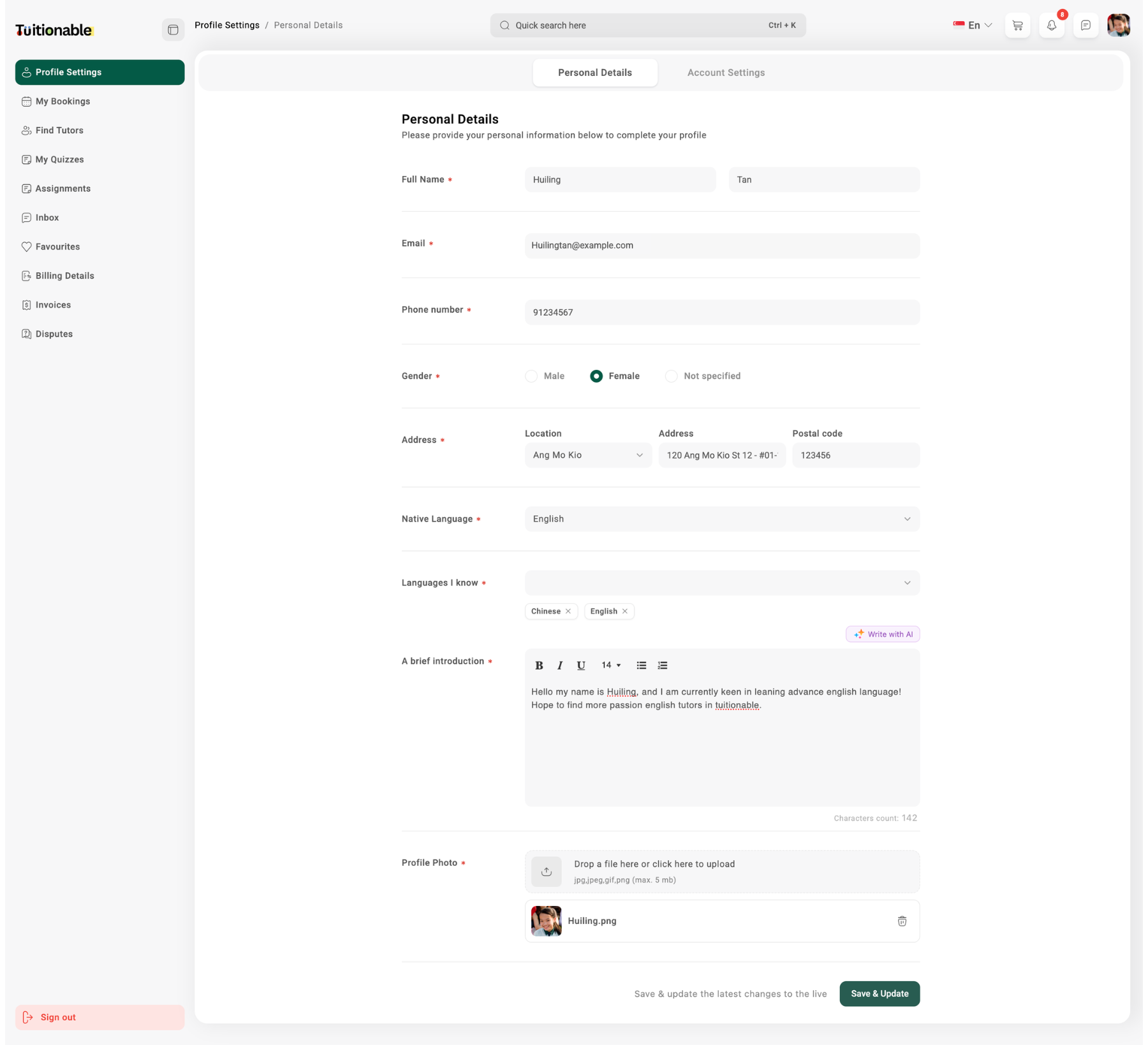
1. Personal Details
Students can update their personal information to ensure their profile remains accurate and up-to-date. The fields include:- Full Name: Enter your first name and last name.
- Email: Update your email address for platform communication.
- Phone Number: Add or edit your contact number.
- Gender: Select your gender as Male, Female, or Not Specified.
- Address: Provide your location, address, and postal code to complete location details.
- Native Language: Indicate your primary/native language.
- Languages I Know: Add any additional languages you can speak or understand.
- A Brief Introduction: Write a short description about yourself, including your skills, background, or interests.
- Profile Photo: Upload a clear profile picture by dragging and dropping an image or selecting it from your device. (Supports formats like jpg, jpeg, and png up to 5 MB).
2. Account Settings
The Account Settings section allows students to configure their account preferences. Key features include:- Update Password: Reset your password by entering and confirming a new password. Ensure it’s secure and meets the platform’s requirements.
- Update Time Zone: Select your preferred time zone from the dropdown list. This ensures that all bookings and session timings align accurately with your local time.
- Link Google Calendar: Connect your Google Calendar to sync all upcoming and scheduled sessions. This integration helps you manage your time effectively and receive timely reminders.
.png?fit=max&auto=format&n=k364YDjXbtawUNul&q=85&s=c576fdd148acc46511c4d802b36249f1)