.svg?fit=max&auto=format&n=NcRYOCfKJkO5rLTb&q=85&s=fd0faab3fa561bdd2e9b10fd042c5bf0)
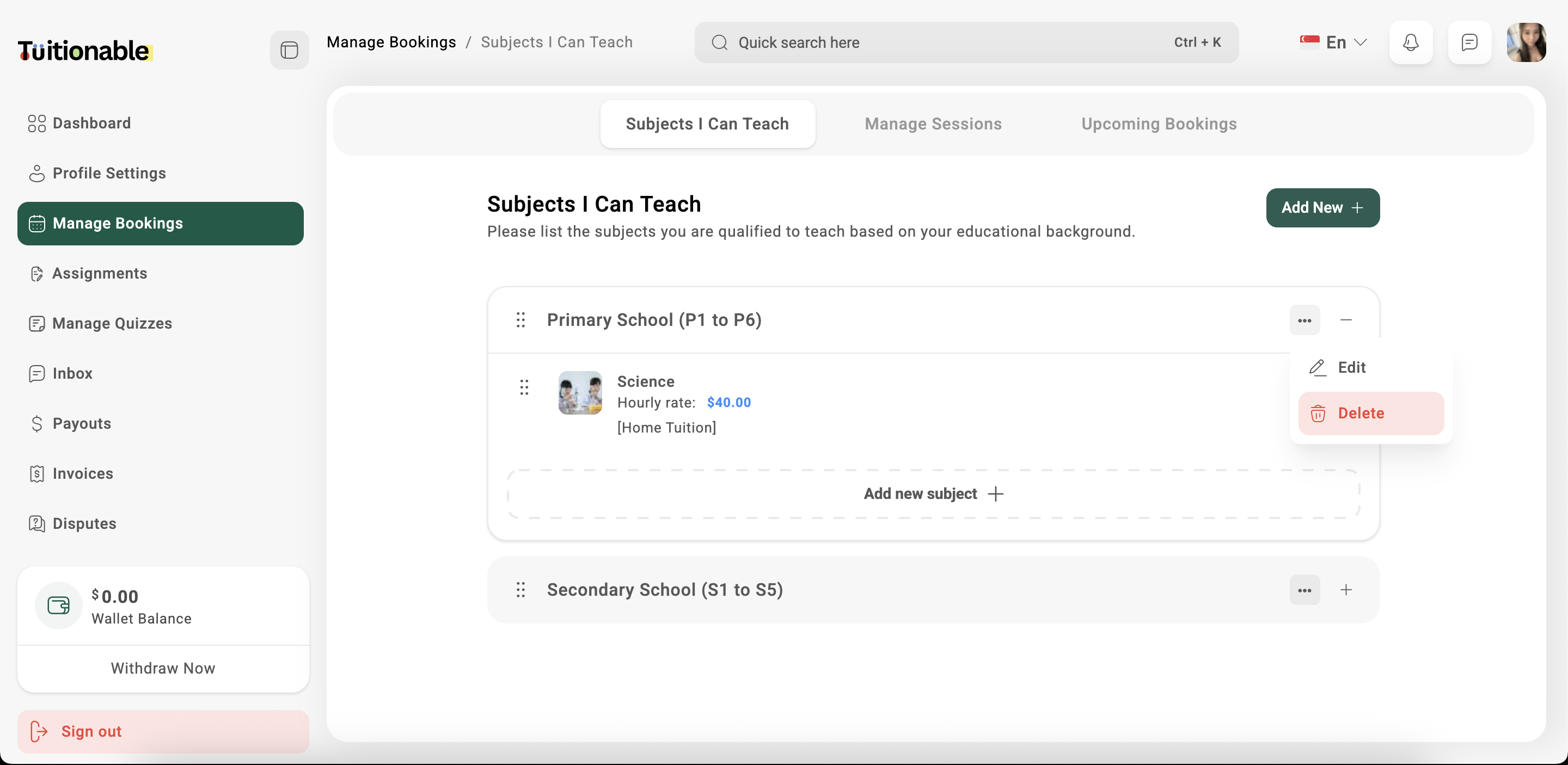
Adding a Subject Group and Subjects
- Navigate to Manage Bookings > Subjects i can teach
- Click on the Add New button to add a new subject group, such as “Primary School” or “Middle School”.
- Within the subject group, click on Add New Subject to define a specific subject.
- Fill out the Add Subject form:
- Choose subject you can teach: Select the subject from the dropdown list.
- Session Price: Enter the hourly rate for the subject.
- A Brief Introduction: Provide a short description of the subject, including key topics covered and the intended audience.
- Upload Image: Add an image that represents the subject (optional).
- Click Save & Update to add the subject to your profile.
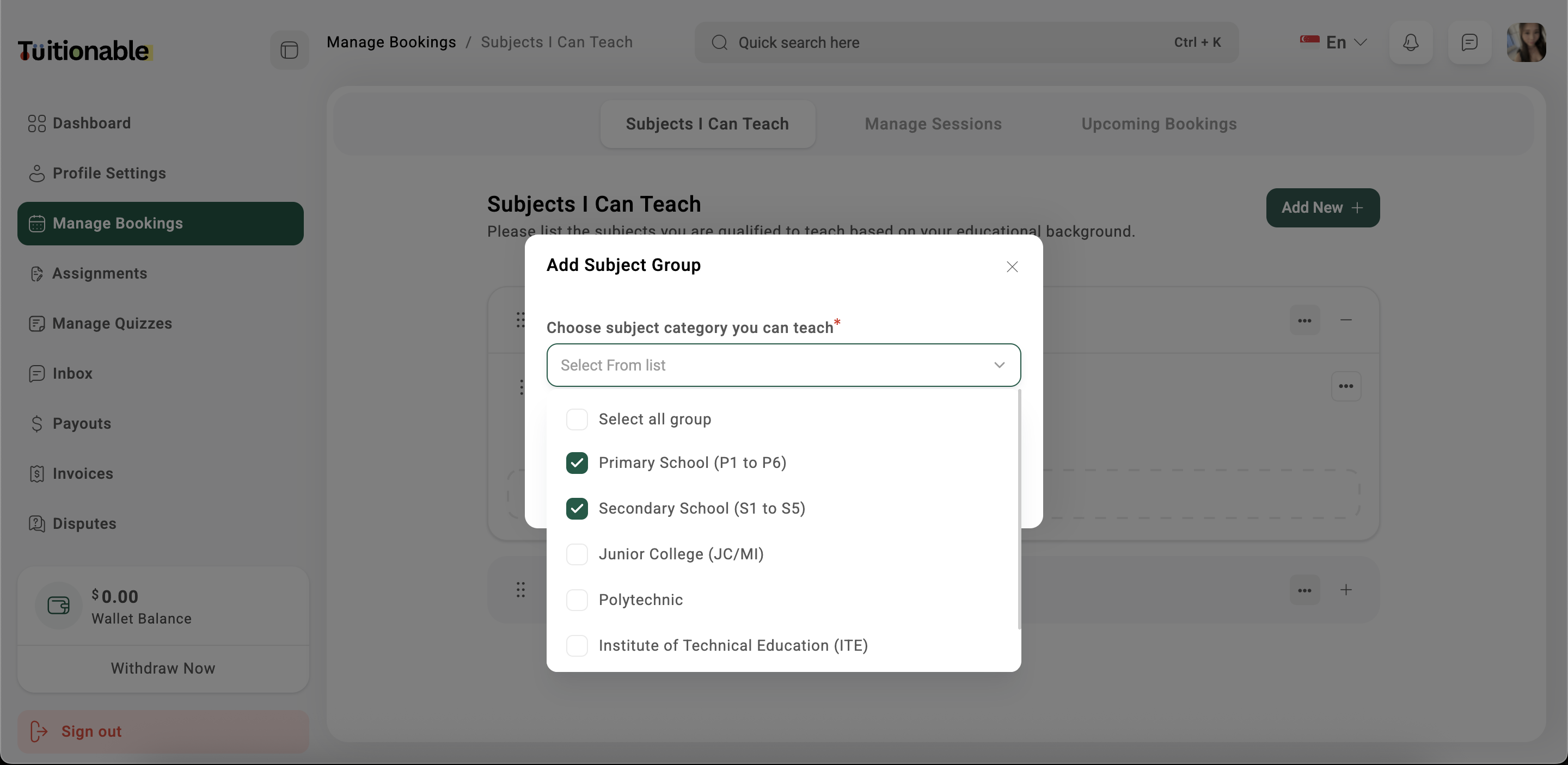
Editing or Removing a Subject
- To edit a subject, click on the ellipsis (three dots) next to the subject and choose Edit.
- To remove a subject, click on the ellipsis (three dots) next to the subject and choose Delete.