.svg?fit=max&auto=format&n=NcRYOCfKJkO5rLTb&q=85&s=fd0faab3fa561bdd2e9b10fd042c5bf0)
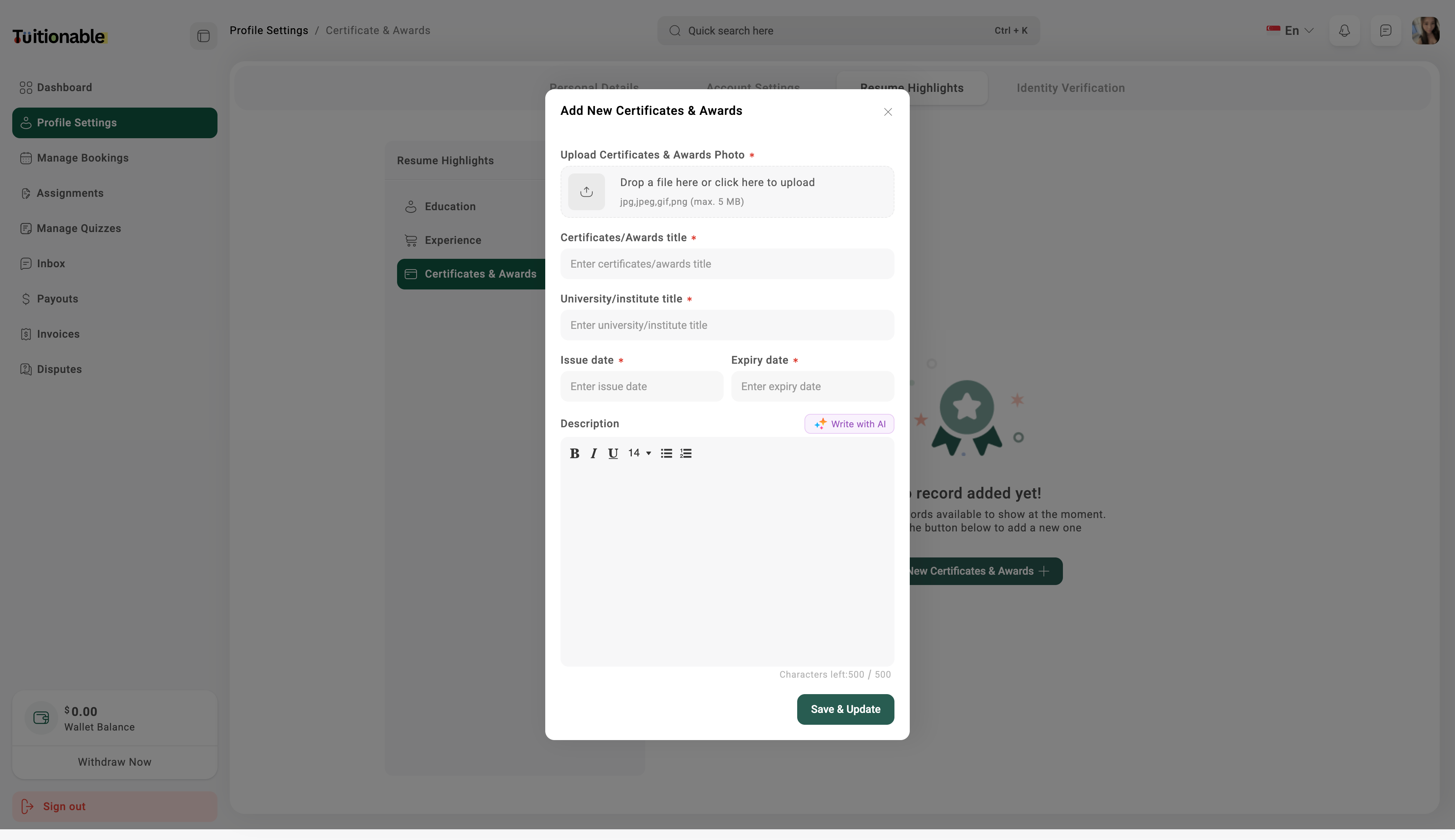
Manage Education
- Go to Profile Settings and select Resume Highlights.
- Click on the Education tab.
- Click Add New to enter your educational details like degree, institution, and graduation period.
- Click Save & Update to update your educational qualifications.
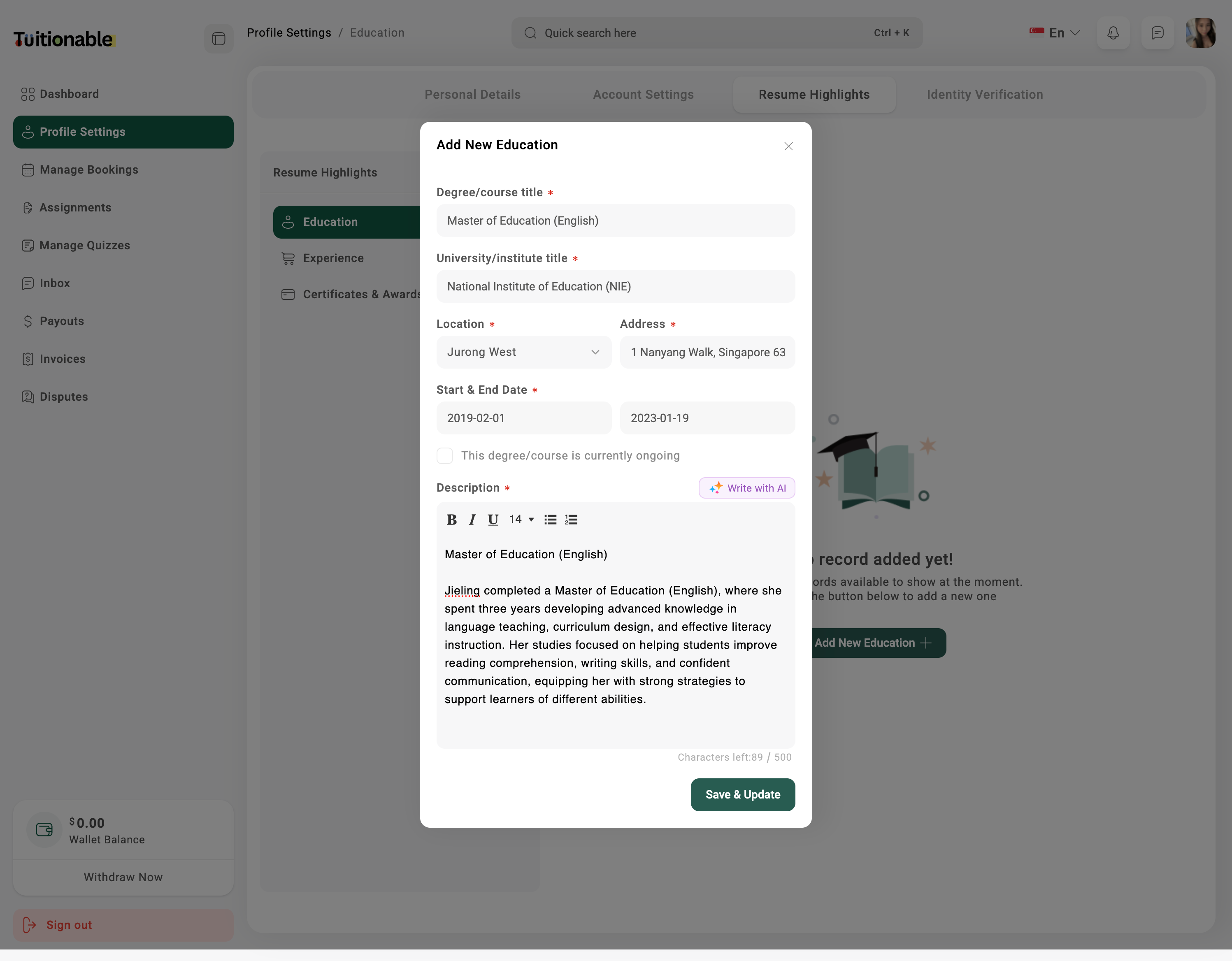
Manage Experience
- In the Resume Highlights section, select the Experience tab.
- Click Add New to enter your professional experience details including job title, company name, and duration.
- Click Save & Update to update your experience.
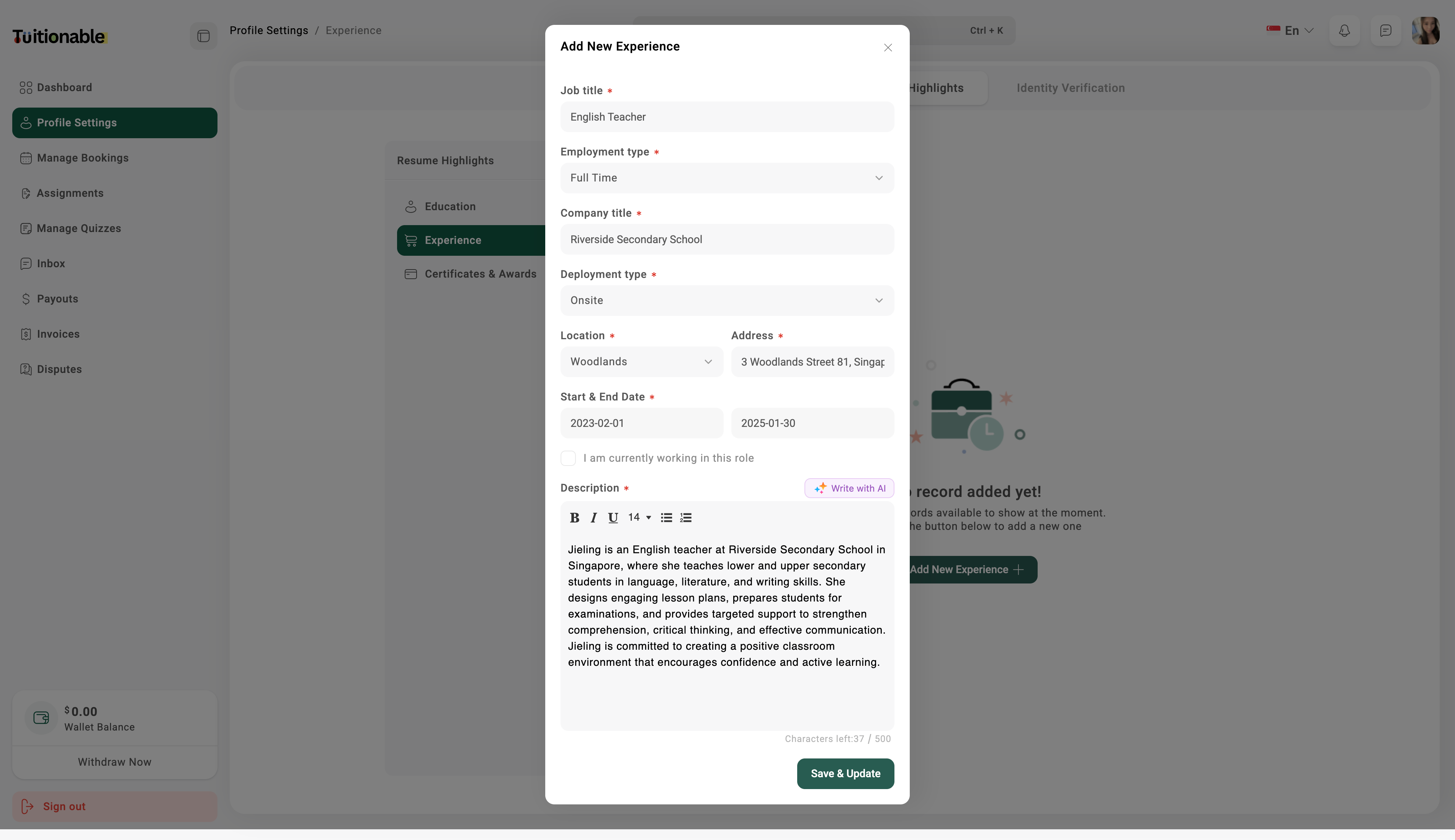
Manage Certificates & Awards
- Under Resume Highlights, click on the Certificates & Awards tab.
- Click Add New to enter details about your certificates and awards.
- Upload any relevant documents or certifications, if necessary.
- Click Save & Update to update this section.