.svg?fit=max&auto=format&n=NcRYOCfKJkO5rLTb&q=85&s=fd0faab3fa561bdd2e9b10fd042c5bf0)
Password Reset
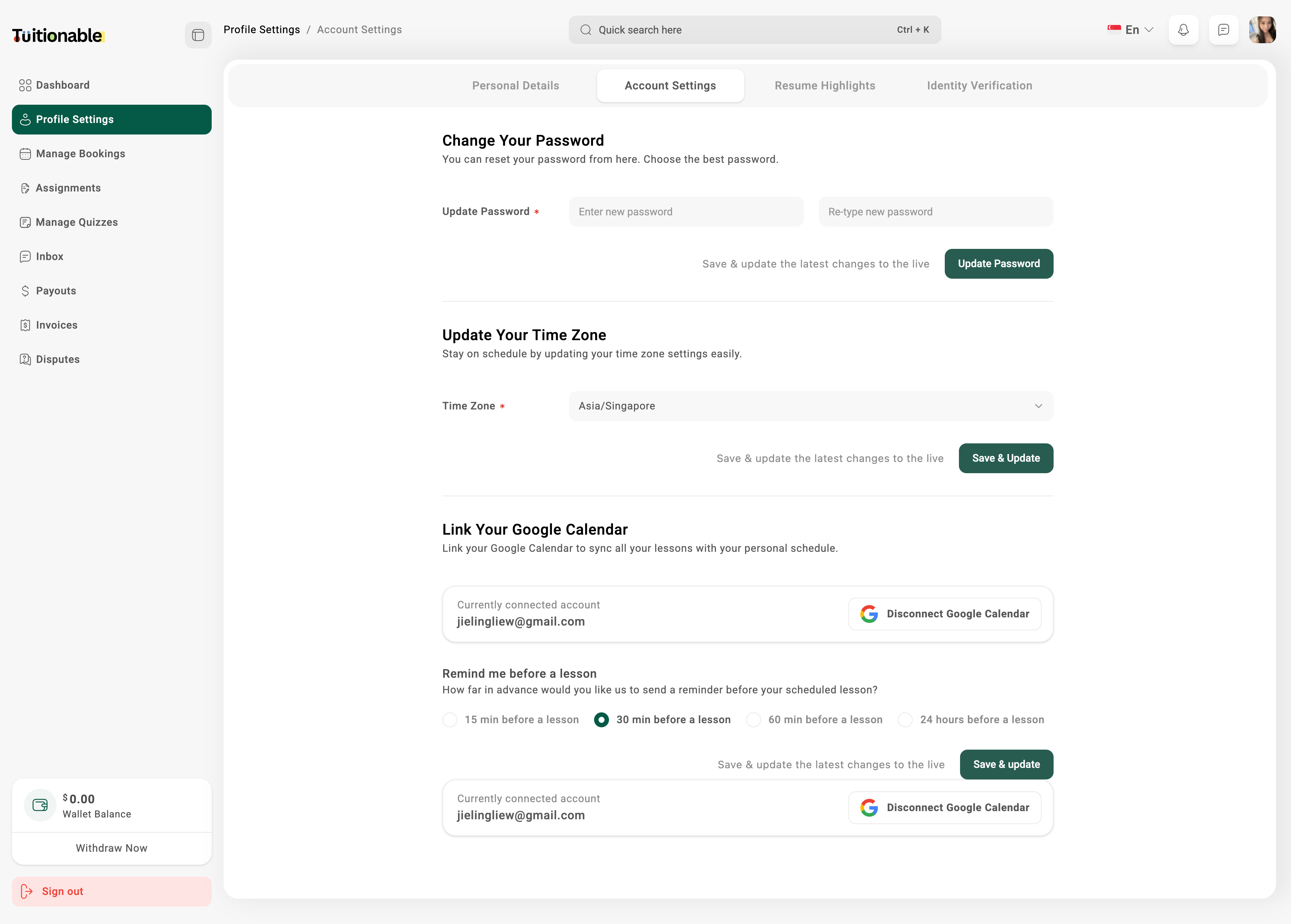
- Navigate to Profile Settings > Account Settings from the dashboard.
- Under Change Your Password, enter your new password and confirm it.
- Click Update Password to save your new password.
Connect Google Calendar
- In the Account Settings, locate the Link Your Google Calendar section.
- Click on Connect Google Calendar.
- Follow the prompts to authenticate and link your Google account.
- Once linked, all your lessons will automatically sync with your personal schedule.
Set Timezone
- Go to Account Settings and find the Update Your Time Zone section.
- Select your preferred timezone from the dropdown list.
- Click Save & Update to apply the changes.