
.svg?fit=max&auto=format&n=NcRYOCfKJkO5rLTb&q=85&s=fd0faab3fa561bdd2e9b10fd042c5bf0)
- Navigate to the Manage Bookings section from the sidebar menu.
- Click on the Upcoming Bookings tab to view all scheduled sessions for the current week.
- Locate the session booked by the student in the calendar view.
- Click on the View Full Details button to open a detailed session popup.
- When the Copy Session Link button is clicked, it will copy the session link and share it with the student.
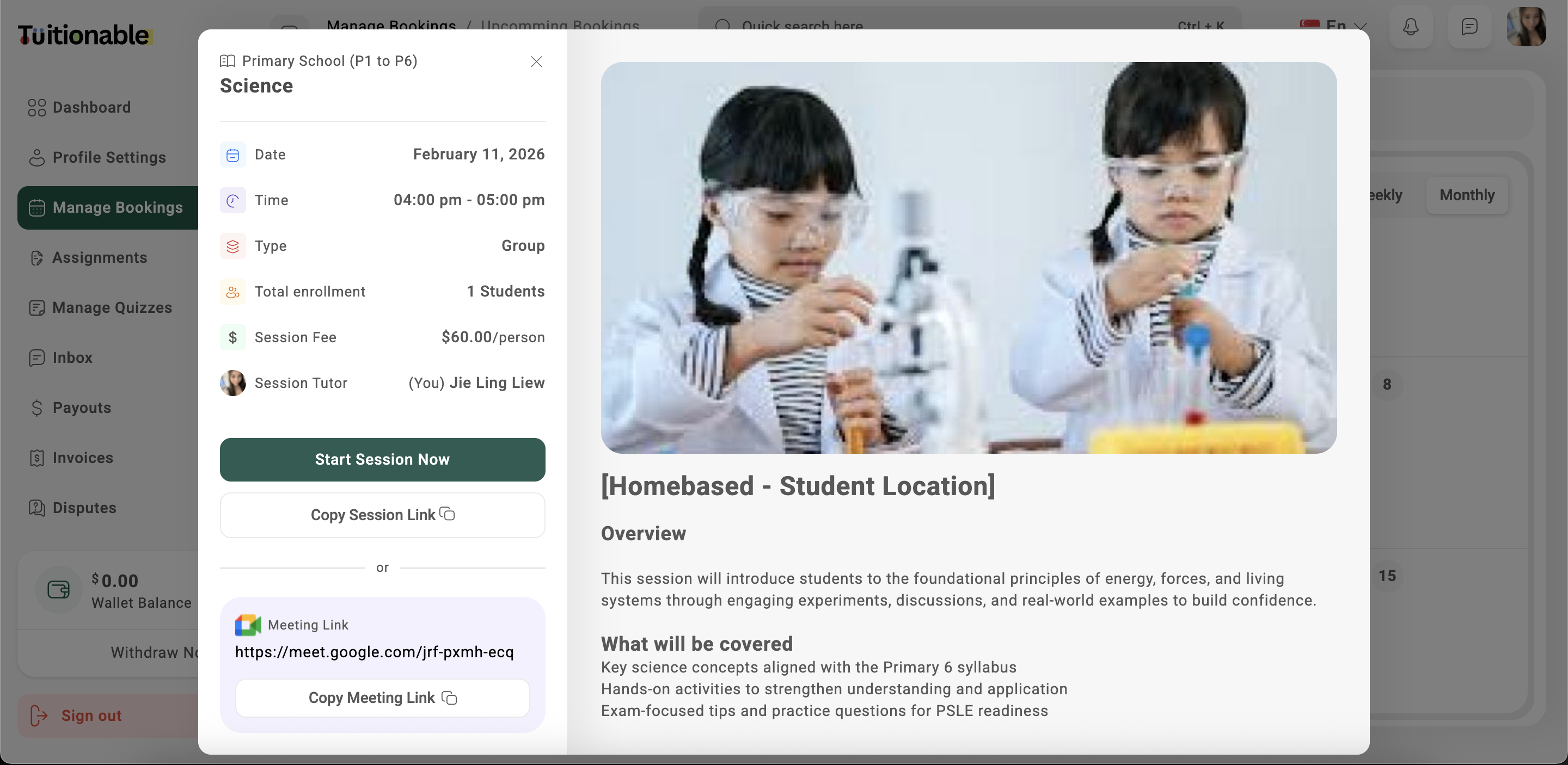
- Click on the Copy Session Link button.
- The session link will be copied to the clipboard
- Paste and share the link via messages, emails, or social media to invite more students.
.png?fit=max&auto=format&n=VZ0xq6d88cbjABnv&q=85&s=ec370ad8202d5e0403bb4b12f790a2b5)