.svg?fit=max&auto=format&n=NcRYOCfKJkO5rLTb&q=85&s=fd0faab3fa561bdd2e9b10fd042c5bf0)
- Select the Manage Bookings section from the sidebar.
- Select the specific date from the calendar.
- In the list of sessions for that date, find the session you want to reschedule.
- Click on the three dots ext to the session and select Delete option.
- A popup warning will appear, notifying you of the enrollments in the session.
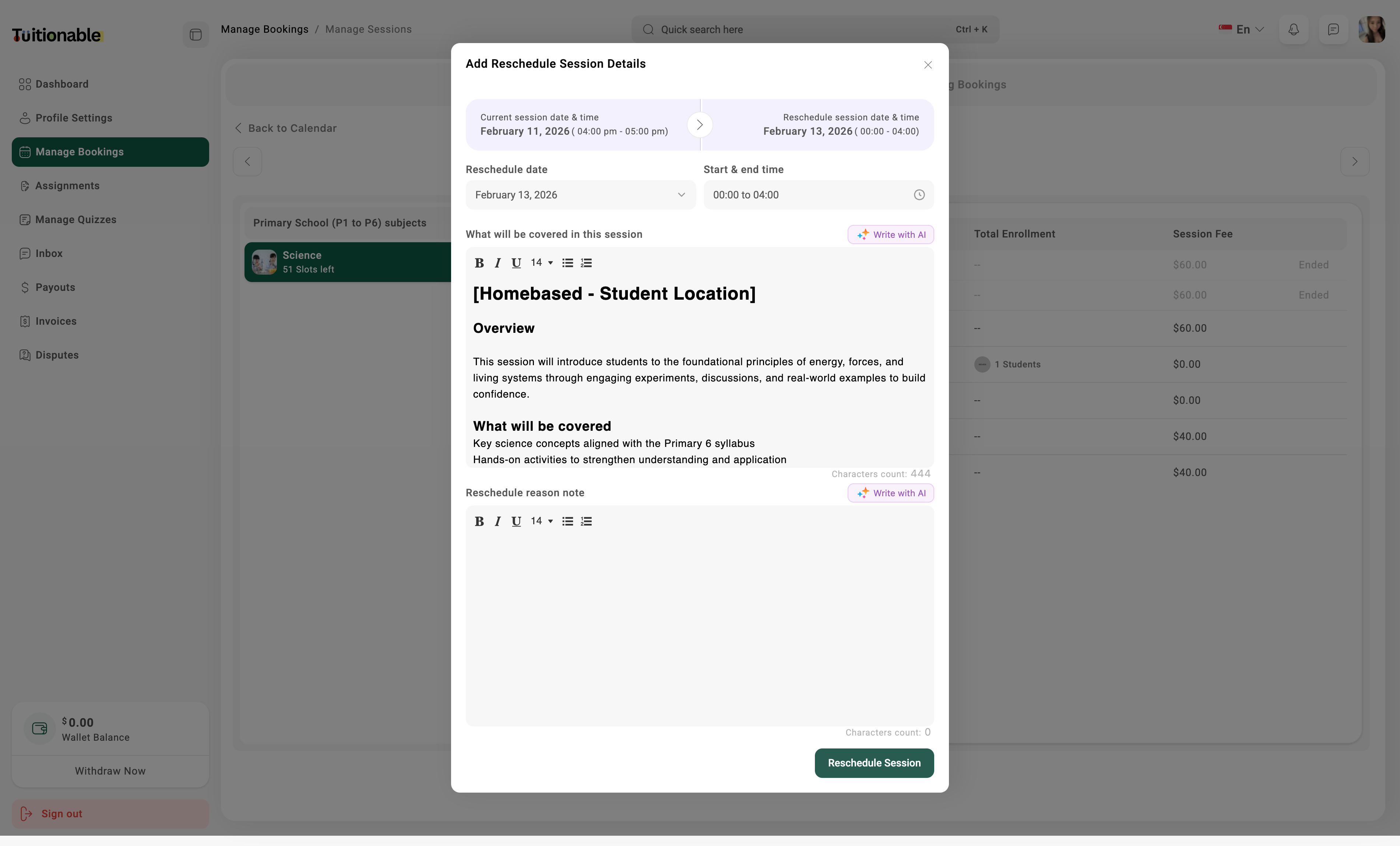
- Clicking Reschedule to Other Day will open the Reschedule Session modal.
- Reschedule Date: Choose a new date for the session.
- Start & End Time: Specify the new time.
- Session Content: Optionally edit the session description or objectives if required.
- Reschedule Reason Note: Provide a brief reason for the reschedule, ensuring transparency for the enrolled students.
- Once all details are updated, click Reschedule Session.
.jpg?fit=max&auto=format&n=SVFsNxfmTxnSCxtQ&q=85&s=98a7a7d546efdb042ca8e05864b7ad1b)