.svg?fit=max&auto=format&n=NcRYOCfKJkO5rLTb&q=85&s=fd0faab3fa561bdd2e9b10fd042c5bf0)
Steps to Complete Your Booking
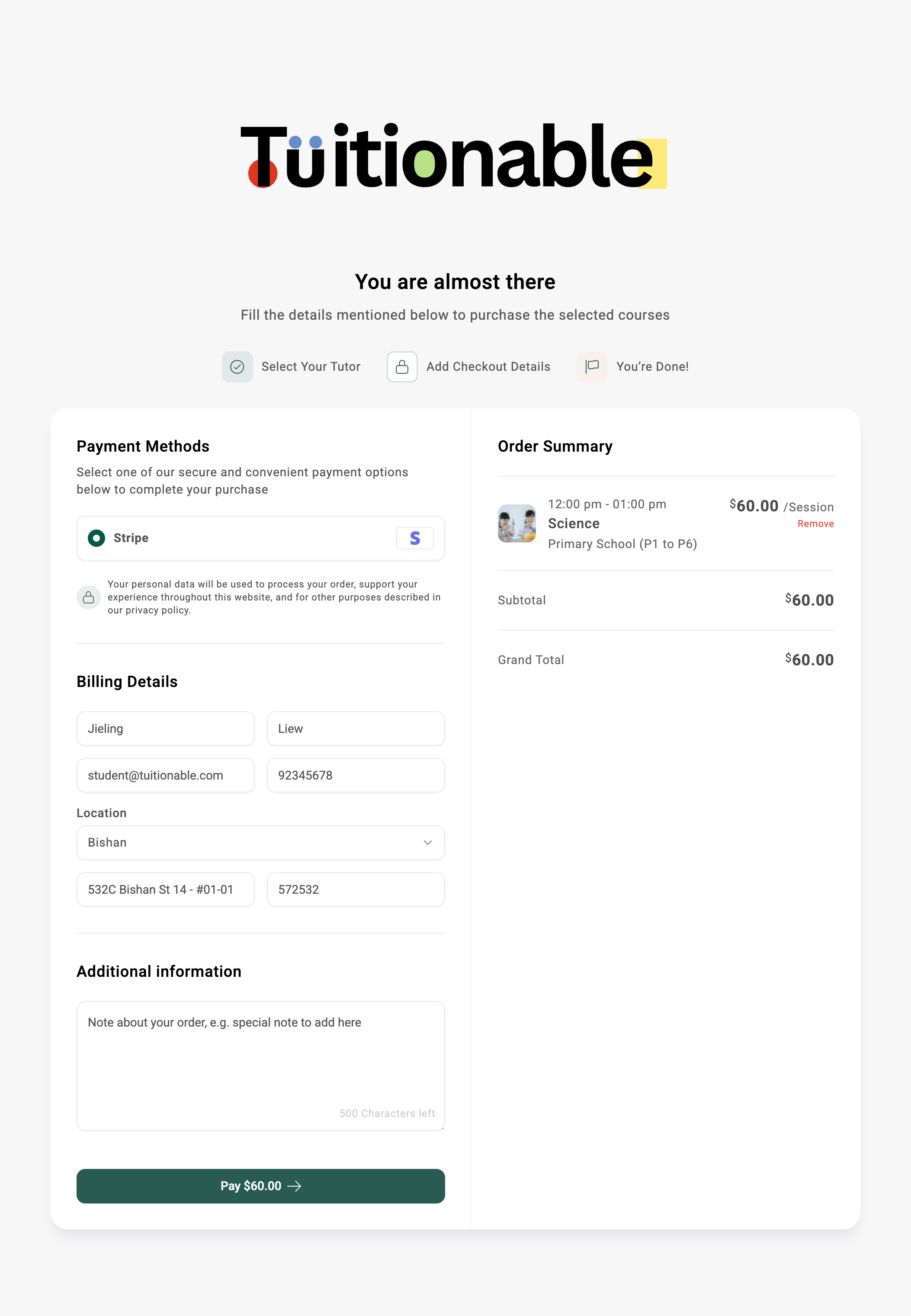
- Enter Billing Details: Fill out the required information to proceed with the checkout:
- First Name and Last Name: Provide your full name (e.g., Kelvin Tan).
- Email Address: Add your email for booking order confirmation (e.g., student@tuitionable.com).
- Phone Number: Provide a contact number for communication with your tutor.
- Address: Enter your location, full address, and postal code (e.g., Ang Mo Kio, Blk 123 Ang Mo Kio Ave 3 #01-123, 560123).
- Add Additional Information: Use the text area to include any notes or special instructions related to your booking (e.g., “Please confirm availability for extra sessions on DD/MM”).
- Select a Payment Method: Choose a secure payment method to complete your transaction.
- For example, Stripe is displayed as a payment option in the image.
- Review the Order Summary: Double-check the details of your selected session:
- Session Details: Date, time, subject, and fee (e.g., “06:00 pm - 08:00 pm, Science, $60.00/session”).
- Subtotal and Grand Total: Ensure the total amount matches the selected sessions.
- Coupon Code: Optionally, enter and apply a coupon (If applicable).
- Complete the Payment: Click the Pay $60.00 button to finalize your booking and confirm the payment.
Example Checkout Interface
Below is an example of the Checkout Cart interface, showing billing details, payment methods, and the order summary: